- No single app covers EV road trip planning well: the reliable workflow is plan with A Better Routeplanner, verify each stop with PlugShare, and navigate with your car’s built-in system or Google Maps.
- A Better Routeplanner models your exact car, battery level, elevation and weather to predict charging stops; PlugShare adds what models cannot, recent driver reports on whether chargers actually work.
- Most of the system is free: ABRP’s premium tier costs about $5 a month and mainly adds CarPlay, Android Auto and live weather data, while PlugShare and Google Maps cost nothing.
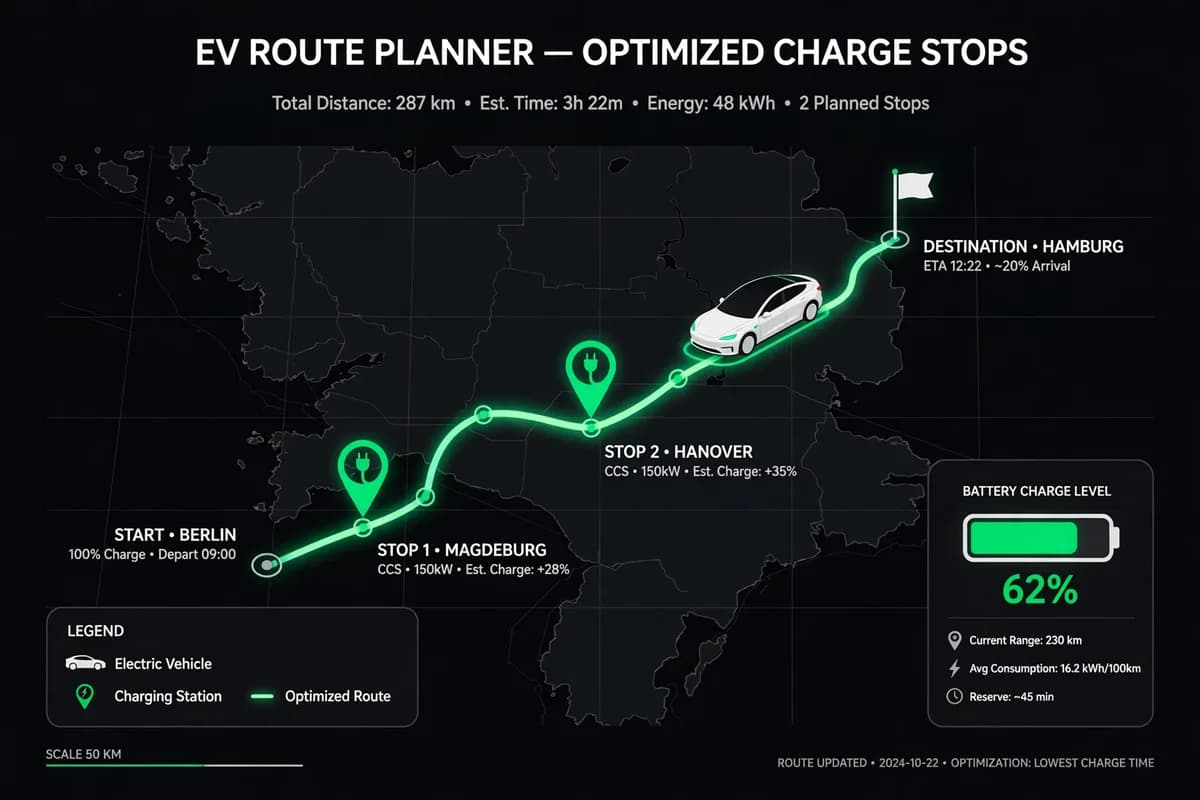
EV road trip charging planner: an app that plans a long drive for an electric car by predicting battery use along the route and placing charging stops where the car needs them, instead of routing like a petrol car and leaving the driver to find chargers.
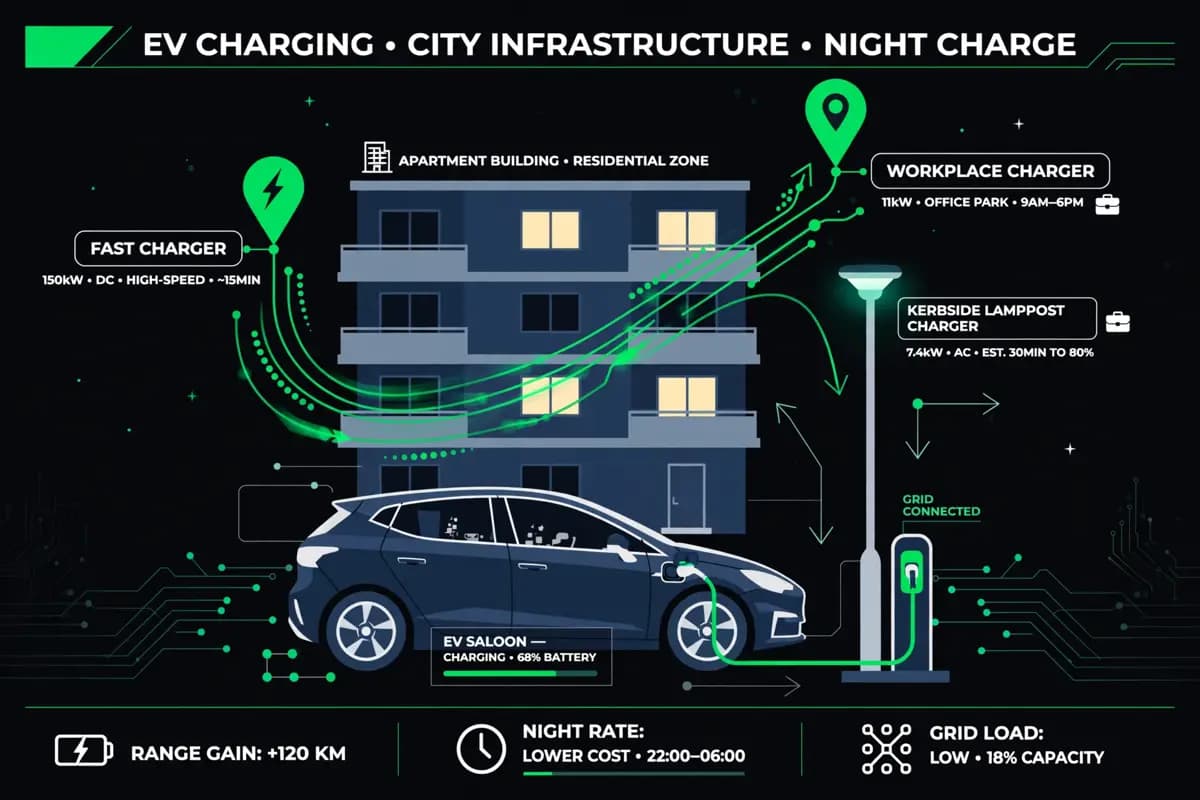
Charging stops differ in ways petrol stations never did: power ratings run from 7 kW kerbside posts to 350 kW highway chargers, live status data lags reality by hours, and arrival range swings with cruising speed, elevation, temperature, and starting charge. Planning therefore means matching the car’s consumption curve to chargers that are actually working, before departure rather than mid-route.
After years of drivers testing every combination, a consensus workflow has emerged, and it uses two or three apps rather than one. This comparison explains what each leading app does best, what it cannot do, and how to combine them into a system that holds up on a real trip.
Why one app is not enough for an EV road trip
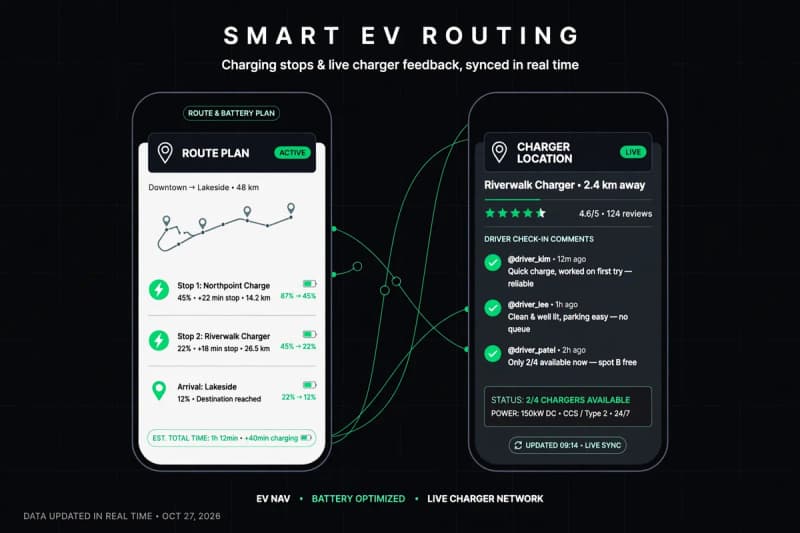
Each app sees only part of the trip. Route planners like A Better Routeplanner (ABRP) know your car’s consumption curve and can predict arrival battery percentages stop by stop, but they rely on network-reported charger status, which lags reality. Charger directories like PlugShare know what drivers found yesterday, because drivers report it, but they do not calculate routes. Built-in car navigation knows your live battery state and can precondition the battery for fast charging, but it tends to favor its own brand’s network and rarely warns you about a broken stall.
The practical consequence is that a single-app trip has a single point of failure. If the planner’s charger data is stale, you arrive at a dead station. If the directory has no route model, you guess at stop spacing and arrive with less charge than planned. The two-app workflow exists because the failure modes are complementary: the planner’s weakness is exactly the directory’s strength.
| App | Best for | Route planning | Charger verification | CarPlay / Android Auto | Cost |
|---|---|---|---|---|---|
| A Better Routeplanner (ABRP) | Long-distance route planning | Excellent: car-specific consumption, elevation, weather | Network data only | Premium tier | Free; premium about $5/month |
| PlugShare | Verifying chargers work | Basic | Excellent: crowdsourced check-ins, photos, reviews | Yes | Free |
| Google Maps / Android Auto | Everyday driving, no install | Good, improving with EV routing | Fair: network data plus some user reports | Native | Free |
| Tesla, Rivian, Ford built-in nav | Seamless driving, battery preconditioning | Good within its network | Good for its own network, weaker elsewhere | Native | Included with the car |
| ChargeHub | US and Canada coverage in one app | Basic | Good across 100,000+ chargers | Yes | Free; can pay at participating sites |
A Better Routeplanner: the strategist
ABRP is the planner drivers reach for before a long trip. You enter your car model, current charge, destination, and preferences, and it returns a stop-by-stop itinerary with predicted arrival charge at each stop, charging duration, and total trip time. It factors in elevation changes and, on the premium tier, live weather, because a headwind and a cold morning both eat range.
Its weakness is the one shared by every model-based planner: it trusts network data for charger availability. A station can show as available in ABRP while a driver on PlugShare reported two broken stalls yesterday. ABRP is also the most complex app in this comparison, with enough settings to overwhelm a first-time user. The settings are the point, though: a plan built for your exact car and your exact starting charge is worth more than a generic route.
Pricing is straightforward. The core planner is free. Premium, at about $5 a month, adds live weather, traffic data, and CarPlay and Android Auto support, which matters if you want the plan on the car’s screen rather than on your phone. ABRP is now owned by Rivian, but it still supports a wide range of brands.
PlugShare’s value is not routing but verification. Every charger listing carries driver check-ins, photos, comments, and a recent-activity history. Before you commit to a stop on ABRP’s itinerary, you open that station in PlugShare and read the last few days of reports. Multiple complaints in the last 24 hours mean you reroute before you leave, instead of discovering the failure on arrival.
PlugShare is free, with ads and promoted listings, and it covers essentially every public charger in North America. Its filters matter more than most users realize: filter by plug type, by minimum charging speed, and by network, and you avoid the classic error of arriving at a station whose only working stalls use a connector your car does not have. It also shows amenities nearby, which decides whether a 30-minute stop is a coffee break or a wait in an empty lot.
The limitation is that PlugShare’s own route planning is basic. It can string chargers together, but it does not model your car’s consumption the way ABRP does. Treat it as the verification layer for charger status.
Google Maps has improved steadily as an EV tool. Its Android Auto routing now plans multi-stop charging routes with charger search built in, and for many drivers it is the first EV planner they ever use, because it requires no install and no learning curve. For short trips and familiar routes, it is often enough on its own.
Built-in car navigation plays a different role: execution. Tesla’s trip planner, Rivian’s system, and Ford’s equivalent all read the car’s live battery state, route to chargers the car can use, and precondition the battery en route so charging starts at full speed on arrival. Preconditioning alone can save ten minutes at a fast charger in cold weather. The trade-off is transparency: built-in systems rarely explain why they chose a stop, and they underweight chargers outside their own network.
The workflow that ties these together is simple. Plan the trip at home in ABRP. Verify each planned stop in PlugShare, and pick a backup station within range for any stop with shaky recent reports. Then drive with the car’s built-in navigation or Google Maps executing the plan, deviating when live conditions change. Drivers who follow that sequence report far fewer surprises than drivers who trust any single app.
What to set before you leave, and what to do when a charger fails
Three settings decide whether a plan survives contact with reality. First, set a minimum arrival charge of 10 to 15% at each stop rather than the default, which is often lower; the buffer covers detours, headwinds, and one closed station. Second, tell the planner your real cruising speed — the speed limit understates consumption, which rises sharply above 65 mph. Third, download offline maps for the route corridor, because rural charging corridors are exactly where mobile coverage drops.
When a charger fails anyway, the recovery order matters. Do not keep trying stalls at the same site if two have already failed; drive to the backup station you identified during planning, even if it costs ten minutes. If no backup is in range, slow down: dropping from 75 mph to 60 mph can extend range by roughly a fifth, which is often enough to reach the next site. And report the failure in PlugShare before you leave, since your report is what makes the system work for the next driver.
The broader context is that home charging still covers most miles. Our Level 2 home charger cost guide covers the installation side, and our EV battery lifespan guide covers what repeated fast charging does to long-term degradation. Road trip planning matters most for the minority of miles driven far from home, which is exactly where a failure hurts most.
Frequently asked questions
No. The free tier plans routes with car-specific consumption modeling. Premium adds live weather, traffic, and CarPlay or Android Auto display, which are conveniences rather than requirements. Plan on the free web version at home if you want to avoid the subscription.
It can work for experienced drivers, but it is not the strongest choice. PlugShare verifies chargers well but does not model your car’s consumption, so stop spacing and arrival charge are guesses. Pairing it with ABRP covers both halves of the problem.
Built-in systems optimize for their own network data and live battery state, and they weight reliability within that network heavily. ABRP optimizes for your stated preferences across all networks. Neither is wrong; they are solving slightly different problems, which is why cross-checking both is useful.
How far in advance should I plan charging stops?
Plan the route the night before, then re-verify each stop in PlugShare on the morning of departure. Charger status changes daily, so a plan verified a week ahead can be stale by the time you drive it.
What is the best backup plan if a charger is broken?
Always have a second station within your remaining range before you leave for a stop. Keep a 10 to 15% arrival buffer, slow down if range gets tight, and report the broken charger in PlugShare so other drivers can reroute.